
Lead Generation
Generate and manage leads for your business with AI-powered tools.
4 easy steps
Number of steps
less than 10 mins
Estimated time to finish
1,000+
Quality Leads Scraped
Trigger
Define Your Ideal Customer
Set criteria like industry, job title, and company size.
Actions
AI scans LinkedIn and other sources for matching profiles
Enriches contact data with verified emails and company info
Writes personalized outreach messages for each lead
Delivers a clean list ready for your sales team
Result
GENERATED LEADS
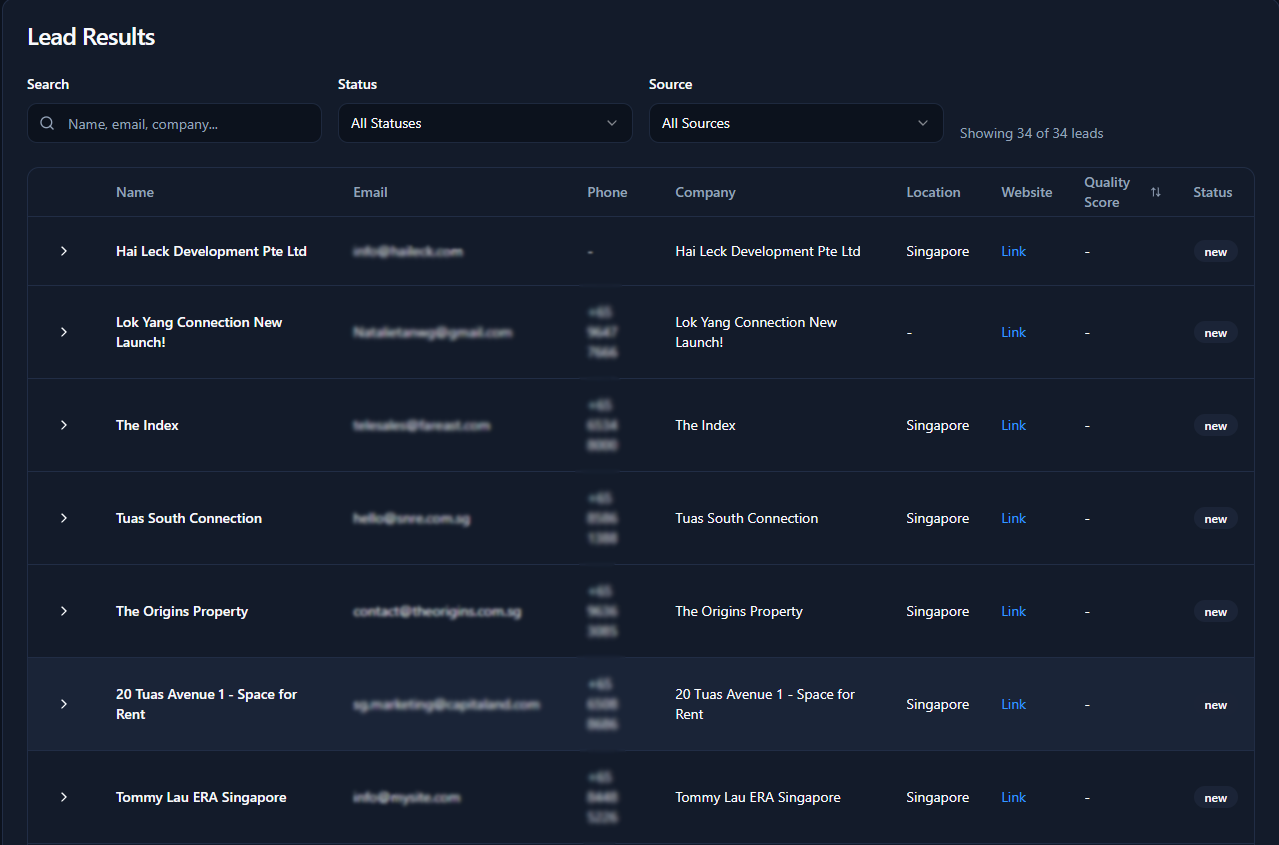
Turns hours of manual prospecting into a ready-to-use list of verified leads.
How It Works: Step-by-Step
From a simple prompt to a high-quality lead list in four simple steps.
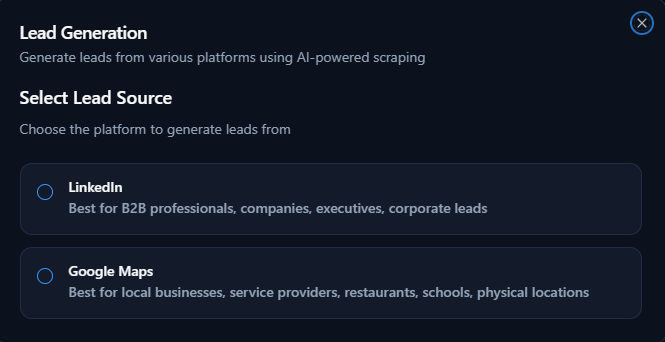
Select Your Lead Source
Choose where you want to generate leads from. Pick either LinkedIn for B2B and corporate leads, or Google Maps for local businesses and physical locations.
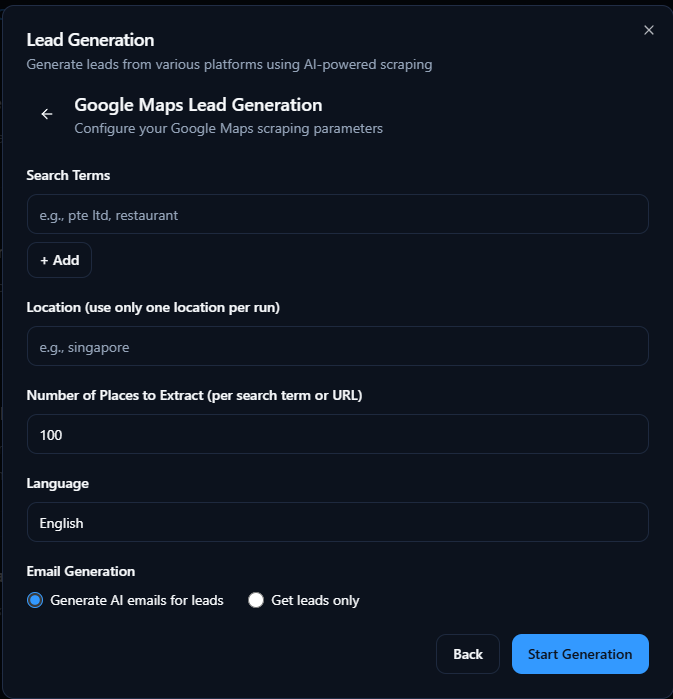
Enter Lead Generation Details
Fill out the form with your search criteria and preferences for the chosen lead source. Provide keywords, location, extraction settings, and select if you want AI-generated emails with your leads.
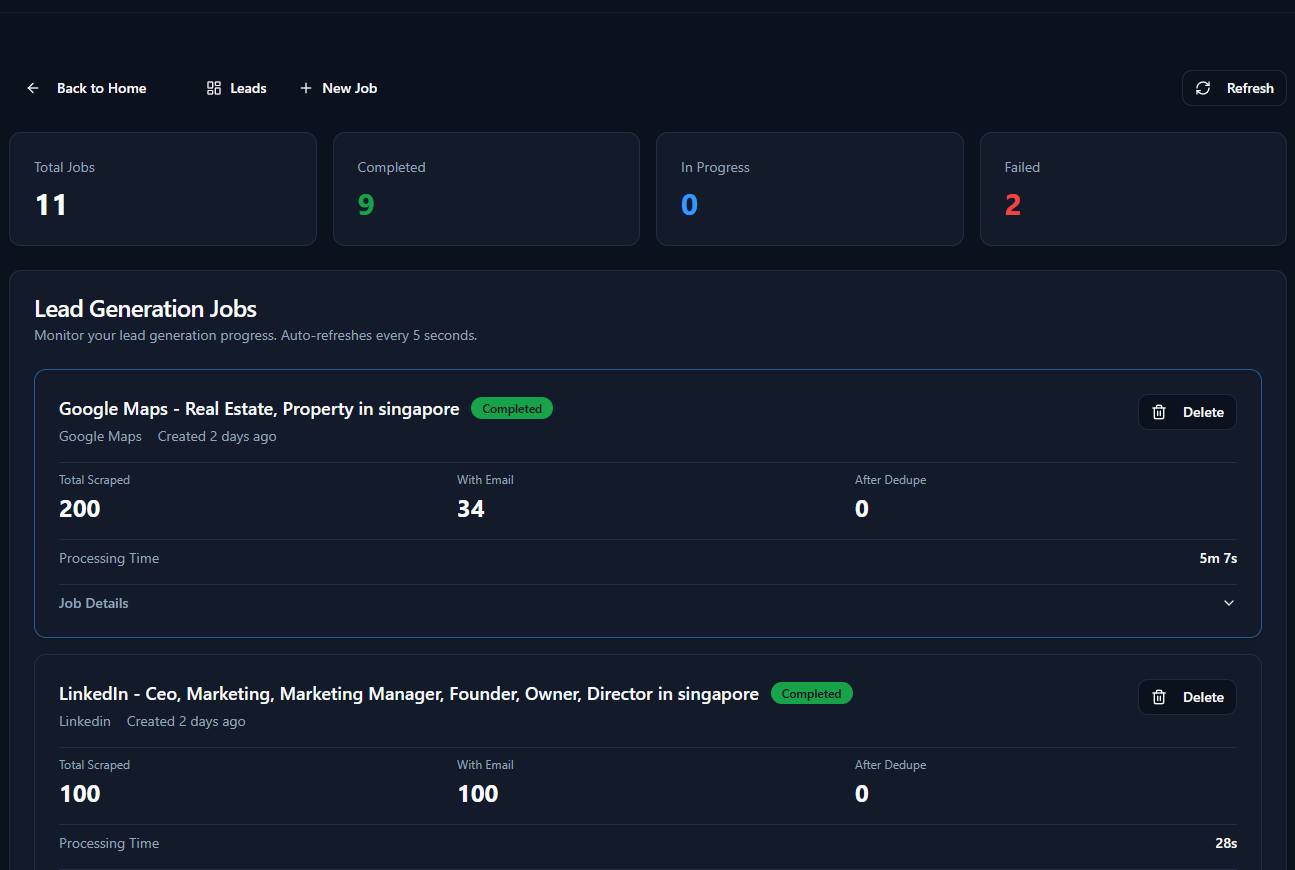
Wait for Generation & Monitor Your Job
Your lead generation job is being processed. You can monitor progress and results in real-time on your lead generation dashboard.
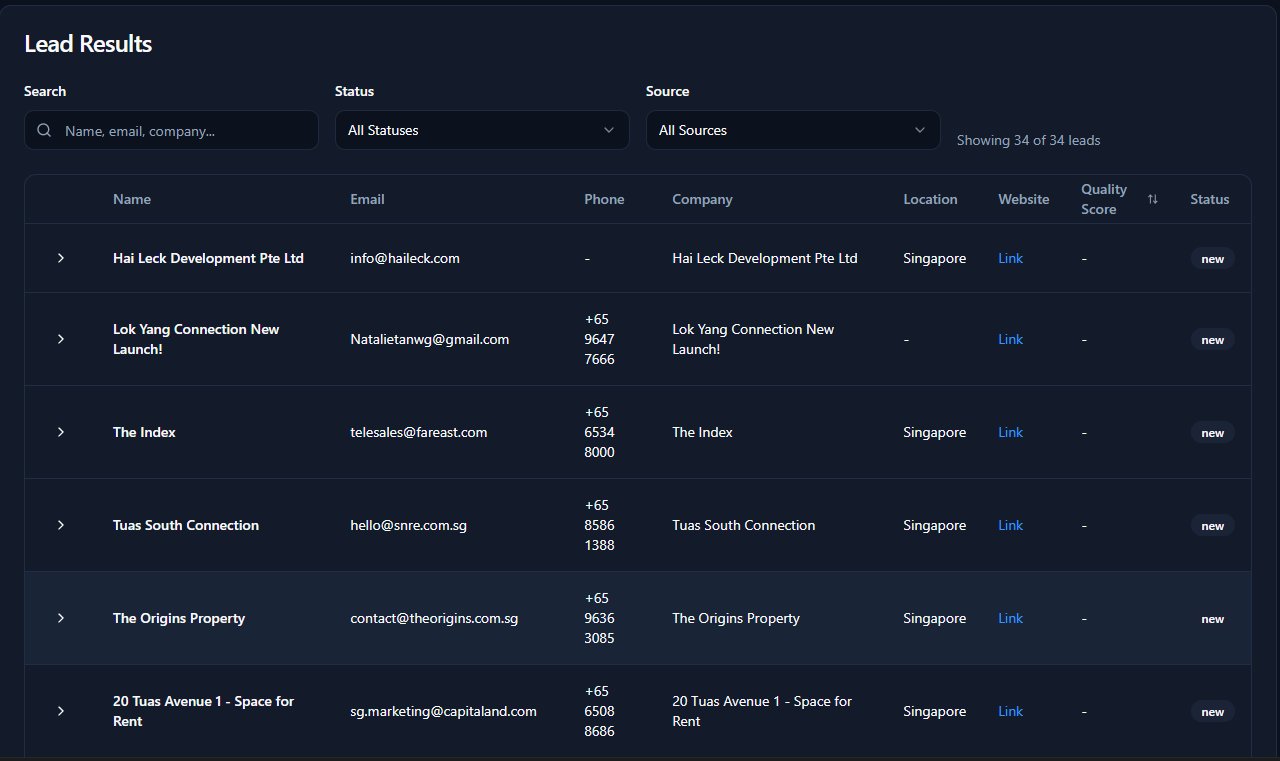
Review & Export Leads
View your clean, AI-scraped leads directly in the dashboard. Export the results for use in your campaigns or CRM whenever you are ready.
Ready to Supercharge Your Lead Flow?
Stop wasting time on manual prospecting. Start closing more deals with a consistent flow of qualified leads.
Book a Free Strategy Call